Work / Case study
Training that meets technicians
where the work happens.
T-Mobile's network technicians learn the job in classrooms and PDFs, then do it at the top of a tower or behind a fence in the woods. I designed three ways to close that gap: VR scenarios for disasters you can't rehearse, a learning path built around each person's role, and an AR prototype that brings training to the cell site itself.
- Role
- Senior UX Designer (contract)
- Audience
- Network field technicians who build and repair cell sites
- Timeline
- 2018 – 2021
- Tools
- Adobe XD, Photoshop, Illustrator, a 360° camera
The people
Field technicians install and repair the equipment that keeps the network running. Much of their work happens at the site, not at a desk: up a tower, behind a fence in the woods, in rain or cold. Training that lives in a classroom or a binder isn't there when they need it.
Every project here started from the same question: what does a technician need, at the moment they need it, in the place they're standing?
VR: rehearsing the disasters
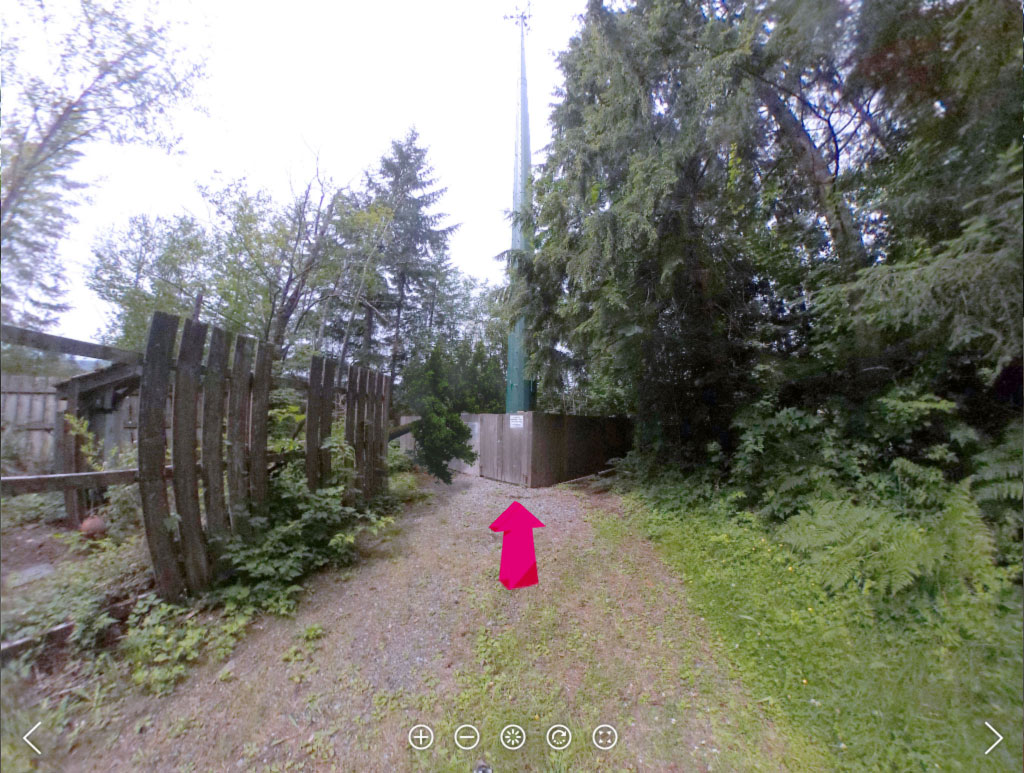
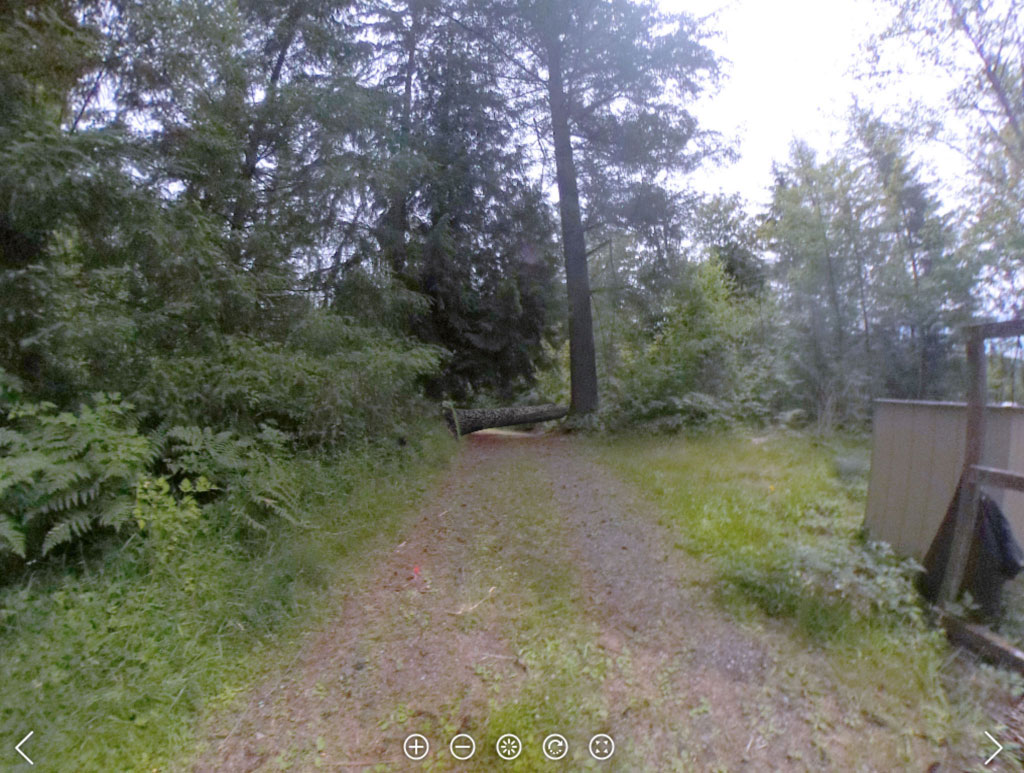
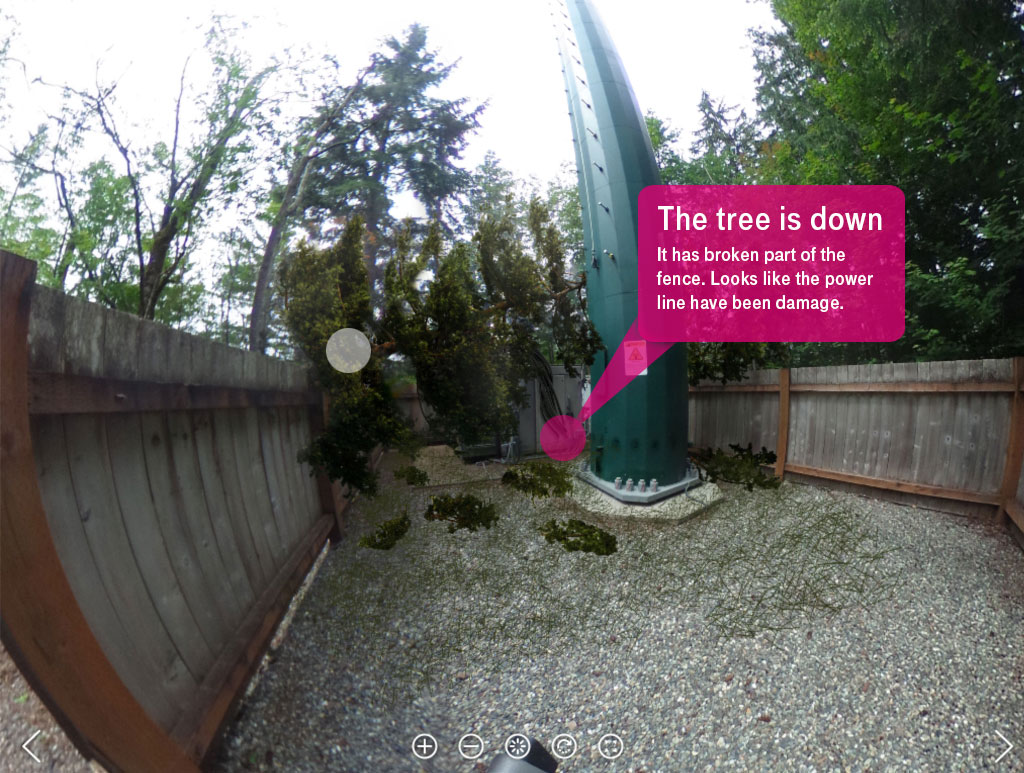
Some emergencies are too rare and too dangerous to practice: a tornado brings down a tower, or a tree falls and cuts a site's power. For Tech Olympics, T-Mobile's four-day conference for its technicians, we built 12 VR scenarios of exactly those moments, so technicians could walk through a damaged site and decide what to do before they ever face one.
I captured real cell sites with a 360° camera, then painted the damage into each scene in Photoshop and designed the arrows and pop-up callouts in Illustrator.
The craft problem
A 360° photo laid flat is equirectangular: straight lines bend, and anything placed near the edges warps once it's wrapped back into a sphere. Adding a fallen tree convincingly meant keeping each edit near the center of the image, where the perspective holds.
The scenarios ran at Tech Olympics and were well received by the technicians who walked through them.
Role-based learning: start with their questions
The goal of role-based learning was a short, relevant training plan for each job family, delivered through T-Mobile's Cornerstone learning platform.
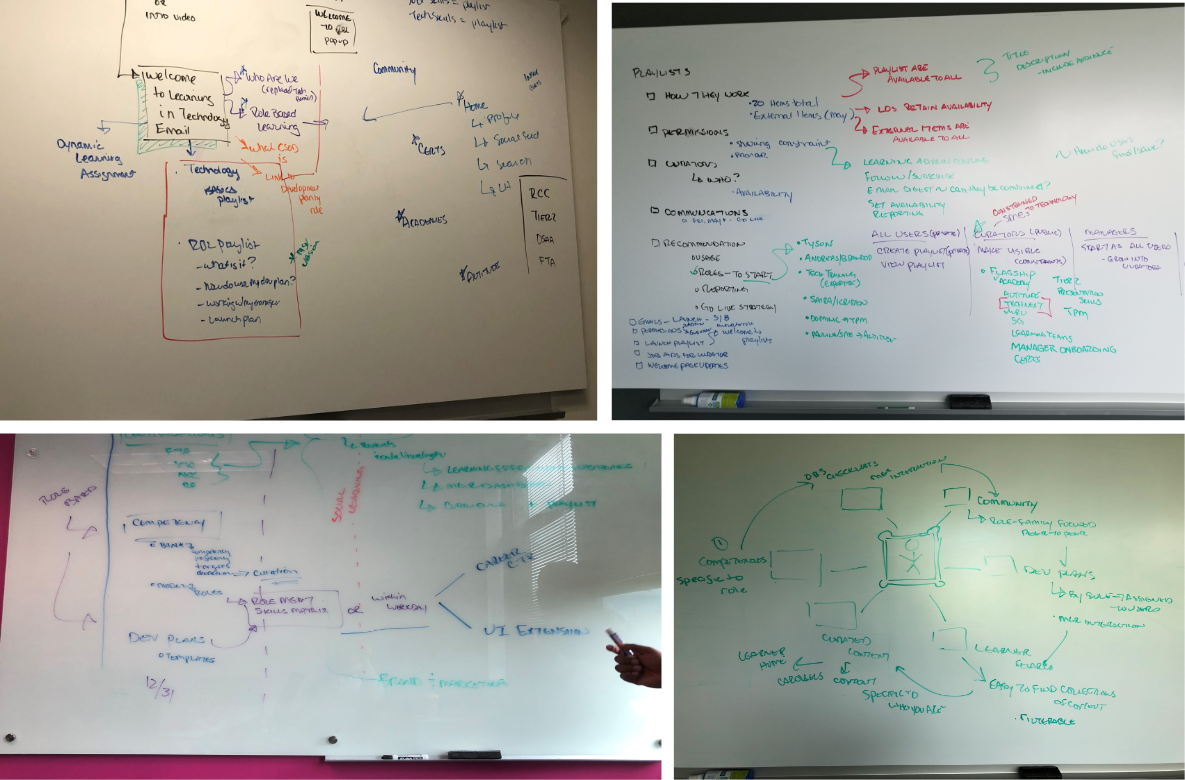
Before drawing a flow, I wrote down the questions each person would bring, because the flow should be the answers to those questions. There were two people to design for: the manager who picks the training, and the employee who takes it.
Why should the employee go here at all? Once they see their training and want to change it, what happens next? And how do we give them a reason to talk to their manager about it?
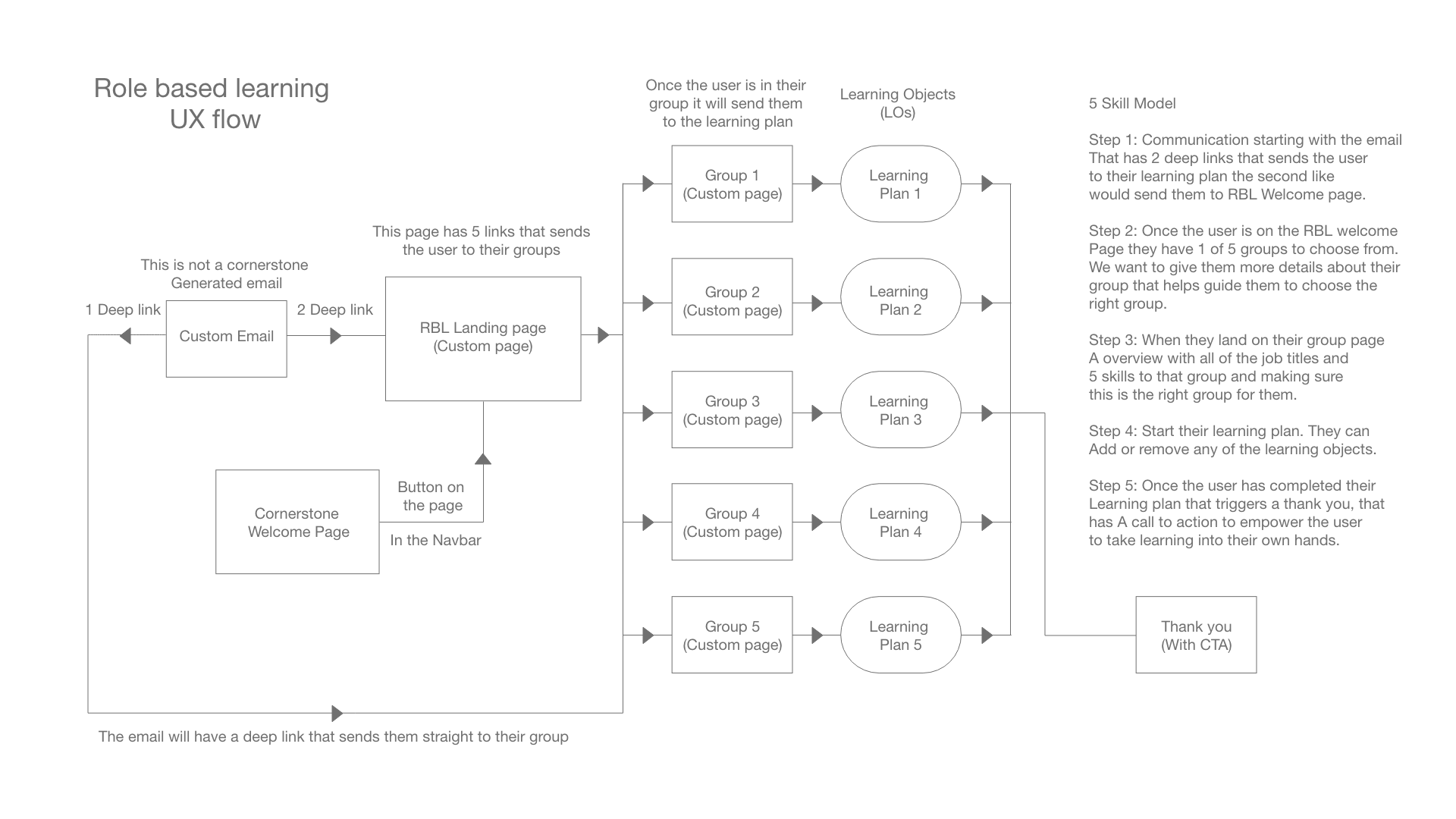
The answer was five steps:
- A custom email with a deep link straight to the employee's group.
- A landing page explaining the five groups, so people choose the right one.
- A group page with its job titles and five core skills, to confirm the fit.
- A learning plan they can add to or remove from.
- A thank-you with a call to action that hands ownership of their learning back to them.
Role-based learning launched on Cornerstone, giving each job family its own learning plan.
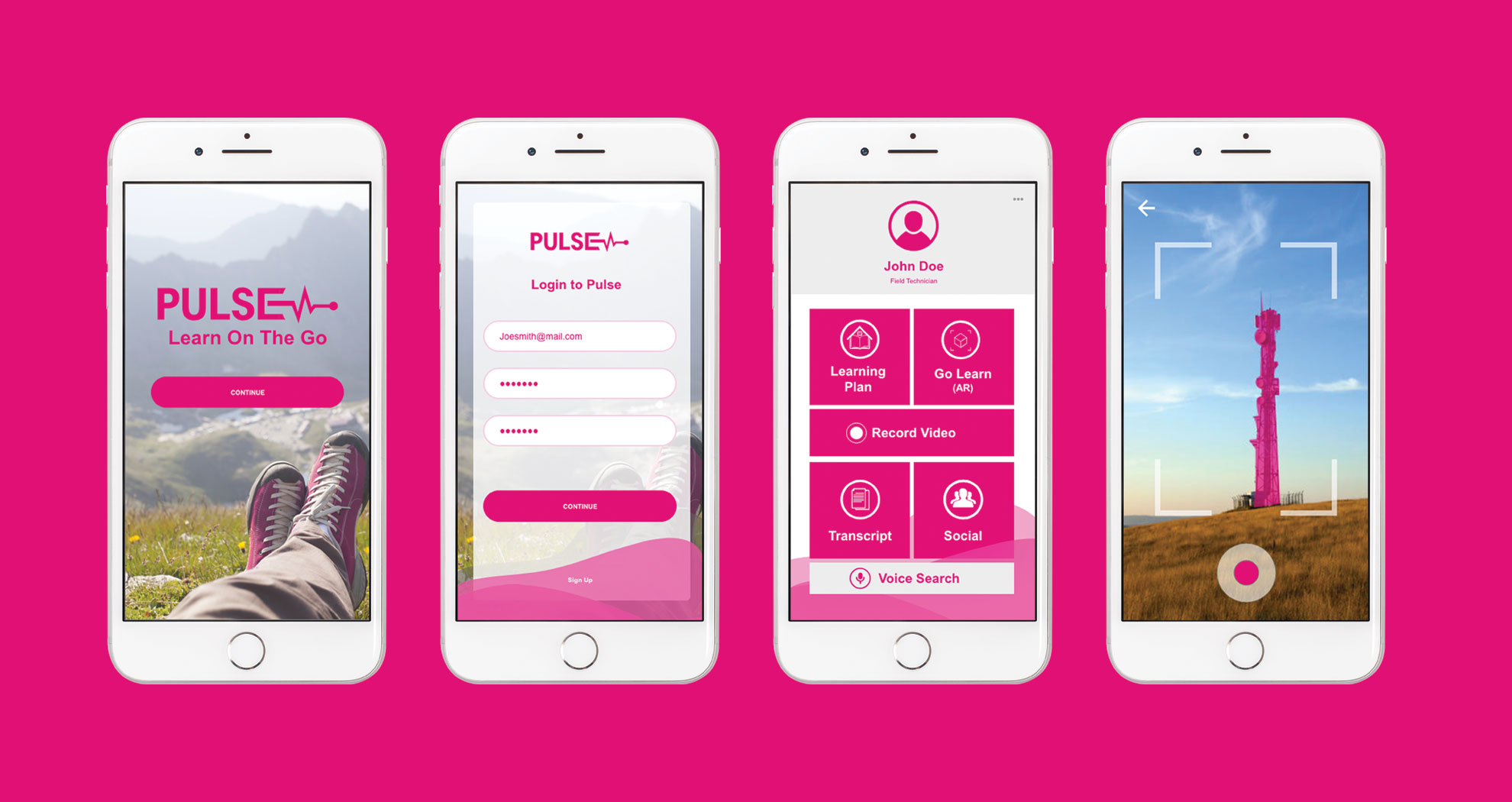
Pulse: training at the tower
The ask was a mobile way to help technicians with training on site, and a way for them to share what they knew with each other. Pulse was the proof of concept.
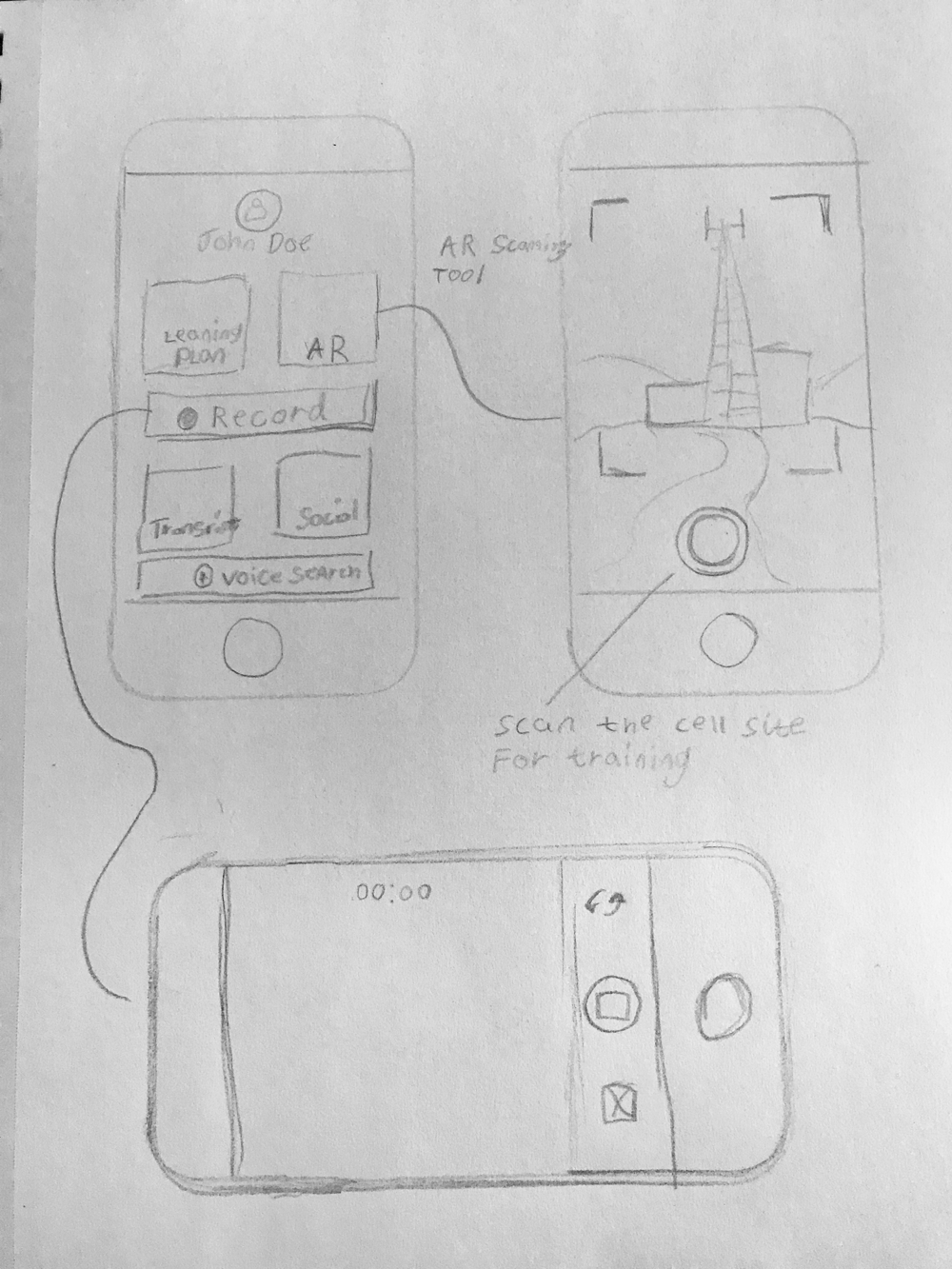
There was a big time crunch: I had one day to turn the idea into something a manager could hold. So I skipped the usual low-to-high fidelity ladder, sketched the core screens on paper, and built a clickable prototype in Adobe XD with two paths:
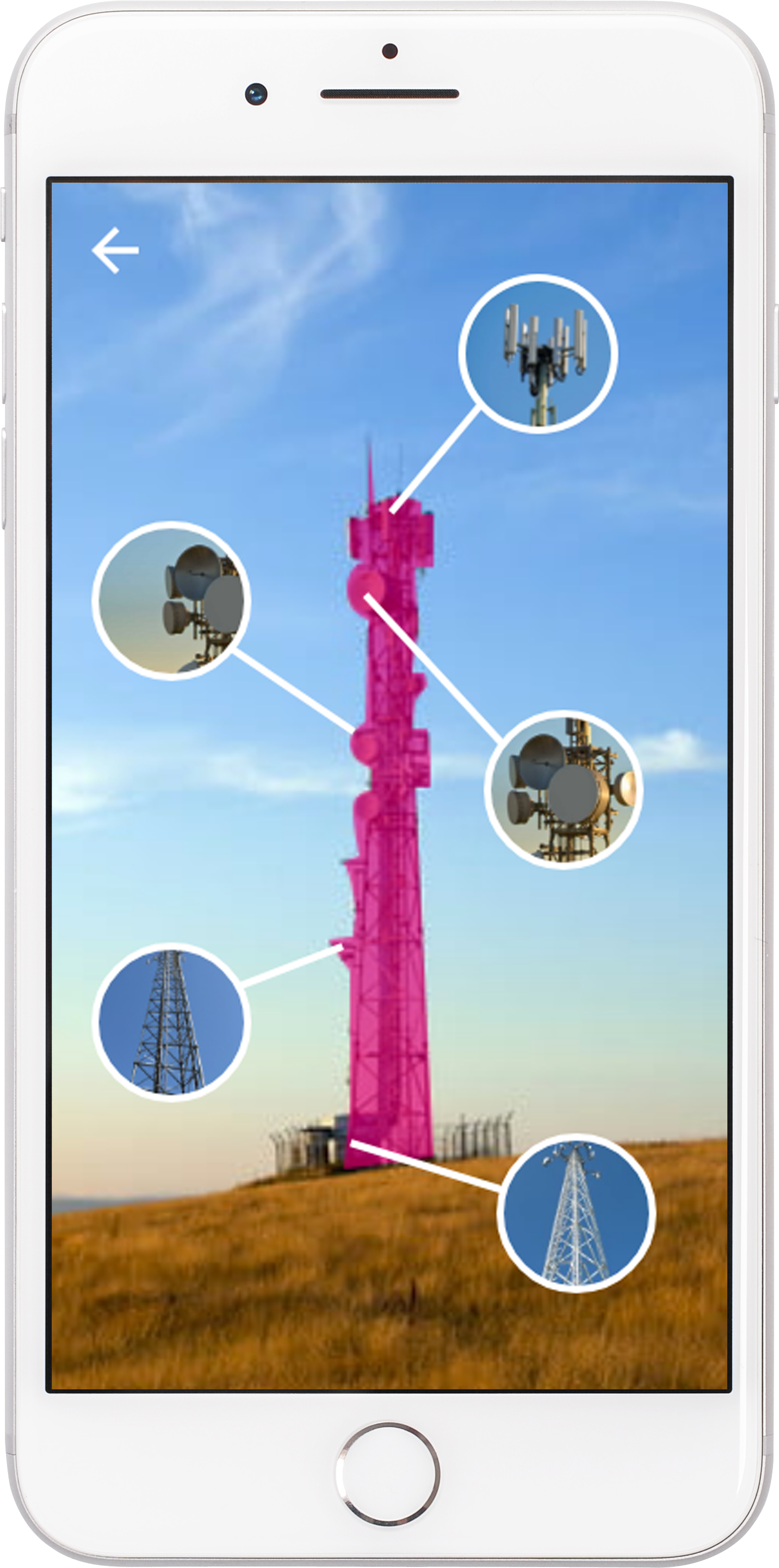
- Go Learn: point the camera at the tower, and the parts light up and link to the training for that equipment. A technician doesn't need to know what something is called to learn about it.
- Record Video: technicians asked for a way to share how they'd solved a problem, so recording a short video and posting it to their peers was the second path.
Pulse stayed a proof of concept and never shipped. It still did its job: it gave leadership something concrete to react to in a day, and its two core ideas, finding training by pointing at the equipment and learning from peers on video, are ones I'd still build on today.
Looking back
All three projects put the training where the person is: in the scenario, in their role, at the site. That's still how I start. Who is this for, and where will they be standing when they need it?
The tools have changed. The one-day Pulse prototype would be a working app today, built with AI and in front of technicians the same week, so the first real test would come in days instead of after a manager review. What hasn't changed is the part that made it worth building: the field technicians' own request to share video with each other.
If I did it again, I'd put Pulse in technicians' hands before the manager review, not after. Their request for video sharing was the best idea in it, and more of their input, earlier, would have made the case stronger.